protip365
Tip & shift tracker

Your shifts.
Your tips.

You work hard for your tips. Make every shift count.

ProTip365 is a simple app for restaurant and bar staff to track shifts, tips and earnings across all their jobs. Log your tips in seconds and see what you really make each week, month and year.

7-day free trial · No account · Export anytime

Pricing →

Your records stay on each device.

Screens
12
one simple flow
To log a shift
~10 s
pre-filled from your schedule
Jobs
All of them
every employer, one app
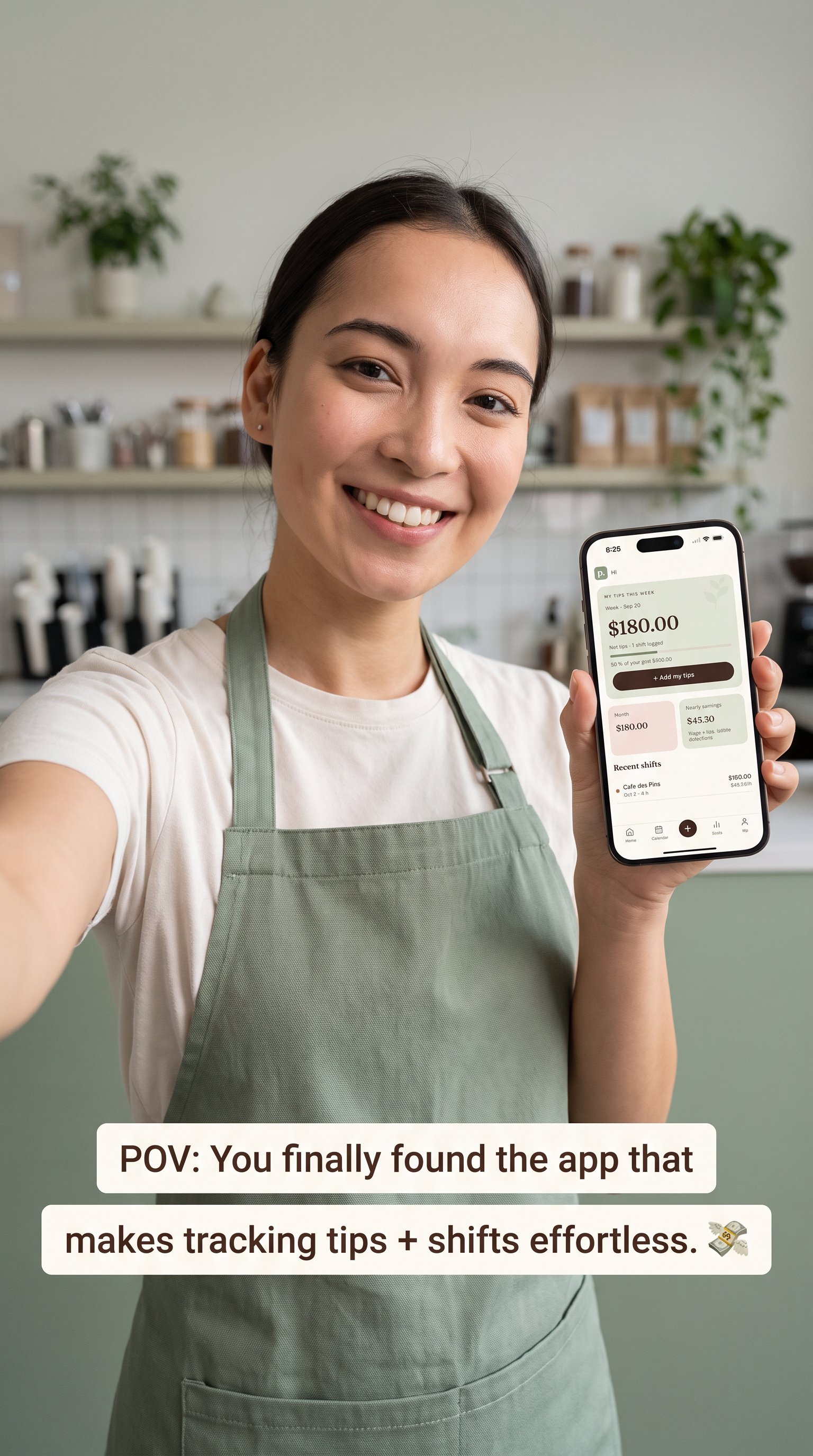
POV: You finally found the app that makes tracking tips + shifts effortless.
The redesigned app

Your earnings stay on your phone.

No account. No password. We can’t see your tips or shifts.

No sign-up

Open the app and start tracking. No email address or account password required.

Private by design

Your earnings are stored on your device, without uploading them to our servers.

Yours to take with you

Export your shifts or save a backup whenever you want, even if you stop using the app.

Keep a backup somewhere safe: we can’t recover records from a lost or replaced phone.

Pricing

Try it for a week. Keep it your way.

The redesigned app includes 7 days of full access. Then choose monthly or lifetime access.

Free trial

$0

for 7 days

Log shifts, track tips and explore your earnings. No account or payment required to start.

Monthly

CAD $4.19

per month

All features, for as long as you subscribe. Renews monthly; cancel in Google Play.

Lifetime

CAD $19.99

one-time payment

All features with one purchase. No recurring subscription.

After the trial, a purchase is required to add or edit records. Your existing records and exports stay accessible.

Canada prices in CAD. Prices vary by country; Google Play confirms your local price and applicable taxes before payment.

Get started on Android Download on the App Store
The user flow

Four moments. That's the whole app.

Set it up once, log every shift, check your money, and handle the paperwork. Tap a screen to jump to it.

Screen by screen

Every screen, and why it's built that way.

Screens shown with sample data.

First launch
01Welcome

Start in one tap, no account

  • Pick French, English or Spanish up front. Everything else can wait.
  • There's no sign-up wall. Data stays on the phone until the user chooses to back it up, because competitors get criticized for forcing accounts first.
  • The importer helps people switching from ServerLife, TipKeepr or a spreadsheet.
Next → Add first job
02Add first job

One job, three fields

  • Only the employer name is required. Role and rate come pre-filled.
  • Set the hourly rate for each job. The amount shown here is sample data, not a universal minimum wage.
  • Each job gets a colour. That colour follows it everywhere: calendar, lists and charts.
Next → Week & reminder
03Week & reminder

Week that matches the paycheque

  • The user picks the day their week starts, so totals line up with their real pay period. This is the most requested fix in competitor reviews.
  • The end-of-shift reminder is on by default. It is the habit loop that keeps the data complete.
  • This is the last onboarding screen. A new user is on Home within about 30 seconds.
Next → Home
Every shift
04End-of-shift reminder

The nudge that opens step 1

  • The reminder fires at the job's usual end time plus 15 minutes.
  • Tapping it opens Log shift with the job, date and usual hours already filled in. Most nights it's just a matter of typing the tips.
  • Swiping it away snoozes until morning. The tone never nags.
Next → Log shift · job & hours
05Log shift · job & hours

Which job, when, how long

  • Job, date and hours are pre-filled from the reminder or from the last shift. Usually there is nothing to change.
  • Start and end times rather than "hours worked". The app works out the hours, including overnight shifts and breaks.
  • Several shifts on the same day are allowed, for example a lunch at Chez Lou and an evening at Le Zinc.
Next → Tips
06Log shift · tips

Tips in plain words

  • Four amounts: cash, card, received from the pool, and given to others. Every field is optional.
  • The take-home total updates live at the bottom, so there is no math to do.
  • Sales and a note are hidden under "More". Use them to compare tips with sales and add context to your tip statement.
Next → Saved summary
07Saved summary

Instant payoff

  • A clear confirmation with the two numbers people care about: tips made and real hourly rate.
  • A comparison to the user's average for that weekday gives a reason to come back.
  • Undo and Edit are right there, which builds trust for low-tech users.
Next → Home
Check my money
08Home · this week

Home answers "how am I doing this week?"

  • The week's total is the biggest thing on screen, with progress toward a goal under it.
  • The + button is always in the same spot. It is the only primary action in the app.
  • Recent shifts show net tips plus the real hourly rate (wage + tips ÷ hours).
Next → Calendar, Stats, or tap +
09Calendar

See the month at a glance

  • Each day shows the net tips and coloured dots for the jobs worked.
  • Tapping a day lists its shifts below. Tapping a shift edits it.
  • Planned shifts could also show as outlined days later (V2: schedule import).
Next → Stats
10Stats · week/month/year

Week · Month · Year, one tap

  • Three fixed ranges with no date pickers. A custom range is under "More" for power users.
  • Splits by employer and finds the best day of the week, the insights servers say they want most.
  • When sales are entered, shows tips as a percentage of sales to help you understand each shift.
Next → Me
Paperwork
11Me · jobs & exports

Jobs, exports, backup

  • Unlimited jobs for free. Competitors charge about $6 per extra job.
  • Exports are free: the pay-period tip statement, a yearly earnings summary, and CSV.
  • Backup is optional and explained in one line. It is offered, never forced.
Next → Tip statement
12Tip statement

Your tip statement, generated

  • A clear breakdown of tips received, shared tips and tip-outs, with a net total for the pay period.
  • Share the summary with your manager or keep it with your personal records.
  • Reporting requirements vary by country and region. This summary does not replace local tax forms or professional advice.
Next → Back to Home
Get started

Log a shift. Watch your week add up.

Download ProTip365 on iOS or Android, or try the interactive demo right here in your browser. It runs on sample data and every number updates as you go.